01
Take a photo
Dia identifies the foods it can see, estimates their portions, and checks nutrition records for a carb total.
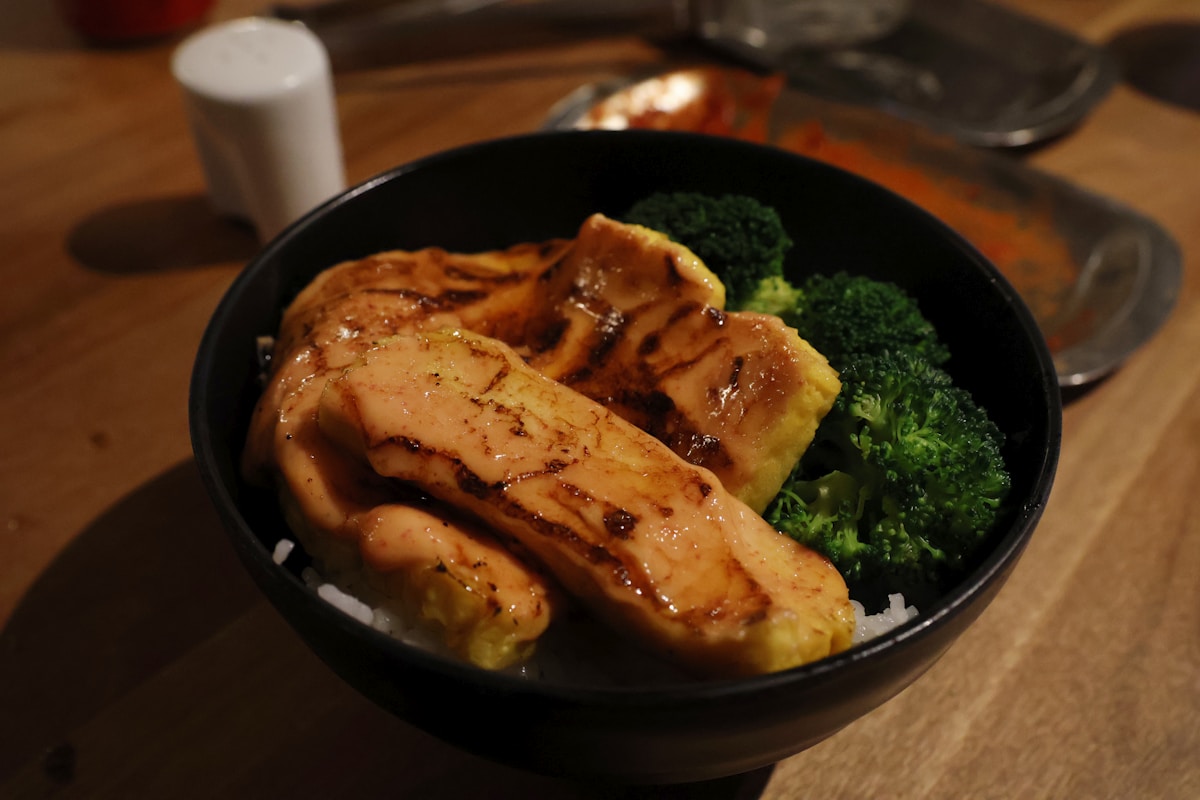
 A meal, as photographed
Take a photo of your meal. Dia estimates carbs from the foods it can see. Check the portions, add what the photo missed, and edit the total before you save it.
A photo can miss sauces, oils, or food beneath the surface. The estimate is yours to check before it goes into your log.
Launch updates for adults 18+. To leave the list, email support@diaai.app.
Illustrative app preview · sample data
Dia shows the foods and portions behind its estimate. You can change them before saving.
Dia identifies the foods it can see, estimates their portions, and checks nutrition records for a carb total.
A meal, as photographedChange a food or portion that looks wrong. Add sauces, oils, or ingredients the photo could not show.
Illustrative estimate · review
Editable carb total 44 g
Your meal stays in the log for review or reuse. With your permission, Dia can also write its carb total to Apple Health.
Live Activity
44 g carbs · 7.2 mmol/L
The small, useful details
If a portion looks wrong or the photo missed a sauce, change the estimate before saving.
01 / Edit the estimate
Try changing the rice carbs in this example. The total updates immediately.

Illustration only. Review actual portions in Dia.
02 / Glucose context
See recorded glucose from Apple Health when another app shares it. Check its source and time.
03 / Save and go
Save the meal. Dia can write its carb total to Apple Health.
Use a photo, enter carbs directly, or repeat a meal you've logged before.
Enter the number directly without a photo. Voice, barcode, and food search are there when you want more detail.
Reuse a recent meal, save a recipe, or enter a carb amount you already know. Each repeat opens for review so today's portion stays yours to set.
See glucose from Apple Health alongside a saved meal. Dia shows an observed response only when there are enough readings from one source.
Review meals, recorded glucose readings, and confirmed entries over time. Share a PDF or CSV with your care team when you want to.
Start with an editable meal estimate. Add glucose context or reports when they help.
Photograph a meal, correct the foods and portions, then save the carb total you agree with. Glucose readings from Apple Health can appear beside it.
Sample glucose · 30 min
7.2 mmol
↗ Example trend
Lunch · example
44 g carbs
With permission, Dia can read glucose and recent insulin records that another app has saved to Apple Health. The source and time appear with those records because they may arrive late or be missing. Dia can write a saved meal's carb total to Apple Health. It does not connect to or control a CGM or pump. If you use a pump, follow its own meal or bolus flow and check Dia's carb estimate before using it there.
Share saved meals and recorded glucose in a PDF or CSV. Missing data stays visible.
Illustrative preview · figures below are examples
Recorded readings in range
72%
3.9–10.0 mmol/L · sample readings
Sample glucose trend
6.8 mmol
Example mean over 24 hours
Meals logged
18
Illustrative 14-day meal log
A one-page PDF for your care team.
Saved meals, reading distribution, and a glucose trend in one file.
Edit a meal estimate before saving it. Your log stays on your iPhone, and our privacy policy explains what leaves it.
Apple shows the price, renewal date, and any trial in its purchase sheet. Open Profile to manage your subscription.
Dia does not store photos sent for carb estimates on its servers. Our privacy page explains what leaves your phone and why.
Profile opens Apple's subscription manager. You can also cancel in your iPhone's Settings app.
Log meals without paying. Free includes up to seven AI meal scans a day; Pro removes that limit. Apple shows your local price before you subscribe.
Apple handles billing. The App Store shows the price, renewal date, and any trial before you confirm. You can cancel in Subscriptions.
Free
Meal logging and glucose context for everyday use.
Pro Monthly
Unlimited AI scans for frequent logging.
Prices shown are the planned US launch prices. Subscriptions are billed through Apple and may vary by region. See Terms for full details.
Jacob Sprake
Founder · SPR Labs
I'm Jacob, founder of SPR Labs. I don't have diabetes. One of my closest teammates does, and their experience has shaped how we're building Dia. At a restaurant or after a workout, even a simple meal entry can involve a lot of checking.
We want meal logging to take less time and make each carb estimate easier to check. The food and portion behind a number should be visible before it goes into your log.
SPR Labs has built more than 28 apps. Dia is the one I'm building with a teammate who knows this routine firsthand.
A meal photo should leave you with an estimate you understand and can change.
28+ apps shipped
SPR Labs Ltd
Download the logos, app icon, palette, social images, and brand notes. For interviews or other materials, get in touch.
If you're 18 or older, sign up for launch updates. To leave the list, email support@diaai.app.
See our privacy policy for how we use your email.